Good clinic website design comes down to one job: a patient on a phone should find out within a minute who the doctor is, what they treat, where the clinic is, when it is open, and how to book. Add accurate medical content without promises and a booking form that protects patient data, and you have the core of a clinic or medical center website.
Most of what you find when you search this topic are offers for a one-page clinic site delivered in two days. That can work for a doctor who is just starting. A medical center with several specialties or branches needs something else: a page for every doctor and service, a clear booking path, and a strong presence on Google Maps.
Below you will find the pages a clinic site needs (with a sample sitemap), how to choose a booking setup, how patients find you on Google, what to write and what to avoid, patient privacy, and a checklist to use with whoever builds the site.
Short on time? These are the five points that matter most:
- Patients decide on their phones, fast: doctor, specialty, location, hours, book button.
- A dedicated page for each doctor and each service beats any polished homepage.
- A simple booking request plus WhatsApp is enough for most clinics; full scheduling can come later.
- A well-kept Google Business Profile brings more patients than the website on its own.
- Health data is sensitive data under the law: collect as little as possible and protect it.
What pages does a clinic or medical center website need?
A clinic website needs eight core pages: home, doctors, services or specialties, booking, locations and hours, about, FAQ, and contact. That is the minimum that lets a patient get answers without calling to ask. It is also where we start in our company website service, adding more depending on the size of the center.
A sample sitemap you can start from:
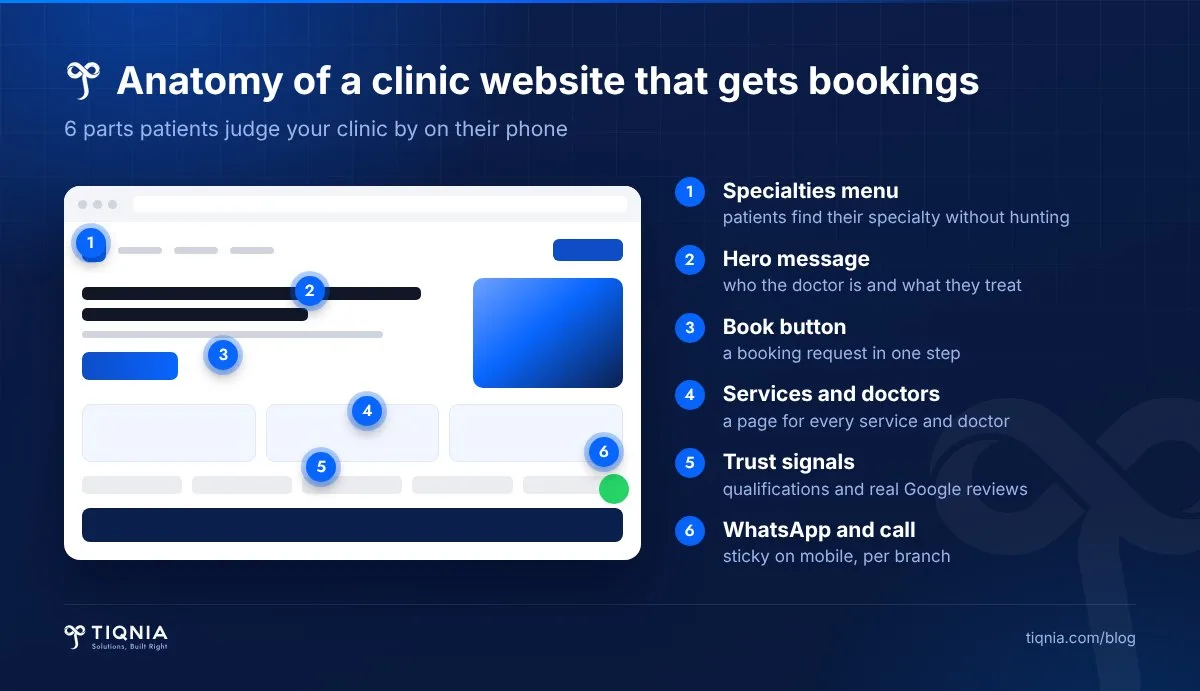
- Home: the specialty in one line, key services, doctors, branches, and a "Book" button on the first screen.
- Doctors: one page per doctor with a real photo, specialty, qualifications and schedule.
- Services or specialties: one page per service explaining what it is, who it is for, and how the visit works.
- Booking: a short form or a scheduling integration, plus WhatsApp and a direct number.
- Locations and hours: each branch on a map with its opening hours and phone number.
- About: the center's story, medical leadership, and real photos of the facilities.
- FAQ: preparing for a visit, insurance and corporate contracts, payment methods, cancellations.
- Contact: every way to reach you in one place, with the privacy policy.
Why are doctor profile pages the most important part of a clinic site?
The doctor's page is the one patients read most before booking, because patients choose a doctor, not a building. A thin page with a photo and one line costs you trust. A complete one answers half the questions your reception desk gets on the phone.
What to include for every doctor
- Full name, academic title and precise specialty (not just "internal medicine" if they focus on gastroenterology).
- Qualifications, where they trained, and professional society memberships if any.
- The conditions or services they handle, written in patients' words rather than textbook terms.
- The days and branches where they see patients, with a booking button for that doctor.
- A recent, real photo. Never a stock image.
Multi-specialty centers
In larger centers, link every service to the doctors who provide it and let patients filter by specialty and branch. Someone looking for "a female gynecologist in Nasr City" should reach her in two taps, not scroll through a list of forty names.
Online booking: a full scheduling system or a request form and WhatsApp?
Most clinics in Egypt do well with a simple booking request on the site plus a WhatsApp button, with reception confirming the slot. A full scheduling system that shows live availability pays off once you have several doctors, several branches and high booking volume.
A simple booking request
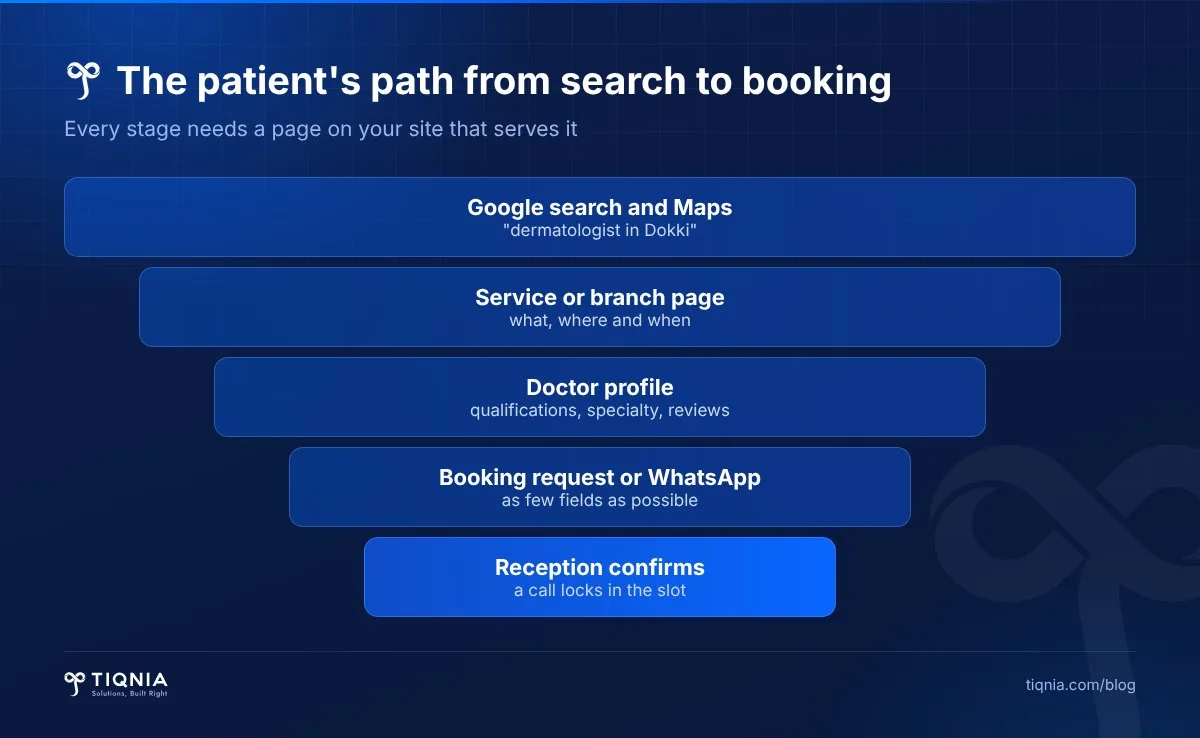
The form asks for name, mobile number, doctor or service, and a preferred day. The request reaches reception by email or WhatsApp, and they call the patient back. Say clearly that the appointment is confirmed only after reception calls, so nobody assumes the slot is already theirs.
Integrated scheduling
Patients see open slots, book themselves, and get a confirmation and reminder. It takes pressure off the phones, but only works if reception keeps the system up to date. Otherwise you get double bookings. Before choosing one, ask a simple question: who will update it every day?
WhatsApp and phone calls
Many patients, especially older ones, will still prefer to call or send a WhatsApp message, however good the site is. Keep sticky call and WhatsApp buttons on mobile, and prefill the WhatsApp message with the service name so reception knows where the patient came from.
How do patients find a clinic on Google?
Patients usually search by specialty and area ("dermatologist in Dokki"), and Google shows the map before the websites. Local SEO for a clinic therefore rests on two things: an accurate Google Business Profile and a website with a clear page for every service and every branch.
Google Business Profile
Google's Business Profile guidelines say a public-facing practitioner may have their own profile, that a location with several practitioners should have its own profile separate from theirs, and that a sole practitioner at a branded clinic is best off sharing the clinic's profile. The name must be the real-world name on your sign, without extras like "best doctor in town". Adding unnecessary information to the name can get the profile suspended.
The website itself
- A page for each service, with a title that naturally describes the service and the area.
- A page for each branch with address, hours and map, matching your Google details exactly.
- Structured data using the schema.org MedicalClinic and Physician types, which helps Google understand that you are a medical entity and where you are.
- Your website link and booking link on the Google profile.
Google reviews weigh heavily in how patients choose. Ask for them politely after a visit, reply to each one respectfully, and never mention any detail of a patient's case in your reply, even if they did.
Medical content: what to write and what to avoid
Health is a topic Google treats with extra care, because it affects people's wellbeing. Google's guidance on helpful, reliable content gives more weight to experience, expertise and trust (E-E-A-T) on topics that could significantly affect a person's health or safety, which it calls YMYL ("Your Money or Your Life").
In practice, that means:
- A doctor reviews every service page, and their name and the review date appear on it.
- Explain the service: what it is, who it suits, how the visit goes, and when to see a doctor.
- Promise no outcomes ("guaranteed cure", "results from the first session").
- Publish no before-and-after photos or patient stories without written consent, and check your medical syndicate's advertising rules.
- Say clearly on symptom pages that the website is not a substitute for an examination.
One good article answering a question patients really ask ("When should I see an endocrinologist?") is worth more than twenty copied ones.
Protecting patient data on your website
Every booking form collects personal data, and the moment it asks about symptoms it collects health data. Egypt's Personal Data Protection Law No. 151 of 2020 classes health information as sensitive data and requires clear, explicit consent to collect it. Saudi Arabia's Personal Data Protection Law also treats health data as sensitive.
Putting it into practice
- Collect the minimum: name, mobile and service are enough to book. Medical details belong in the consultation room.
- A clear consent checkbox linked to the privacy policy, not consent buried in small print.
- SSL across the whole site, with requests going to the clinic's official email, not a personal phone.
- Decide who on the team can see requests, and delete old ones regularly.
These are general points, not legal advice. If you plan to collect medical files or test results through the site, talk to a lawyer before building it.
Speed, mobile, and Arabic plus English
Most patients search on their phones, often in a hurry or while unwell. The site has to load quickly, with readable text, large buttons, and a phone number that dials with one tap.
- Speed: compressed WebP images, and every page tested on PageSpeed Insights before handover.
- Mobile: booking and WhatsApp buttons fixed at the bottom of the screen.
- Languages: if you serve expatriates, Gulf patients or medical tourists, build the English version properly from day one with its own URLs, not machine translation.
Common mistakes we see on clinic websites
- The site belongs to someone else: the domain or hosting is registered to the developer, and you find out you own nothing when you want to switch.
- Outdated schedules: a doctor left months ago and their page is still live, or summer hours are still showing in winter.
- Different details everywhere: one number on the site, another on Google, a third address on Facebook.
- A long booking form: twelve fields including medical history, so patients close the page.
- Stock photos: patients sense immediately that the place does not look real.
- No owner: requests land in an inbox nobody opens.
If you are still choosing who will build it, we wrote a full guide on how to choose a web design company.
From our experience: how TIQNIA builds a clinic website
At TIQNIA, a Dokki-based team that has worked with companies in Egypt and Saudi Arabia for more than nine years and delivered for over 350 companies, we start a clinic site with questions, not designs. Who are the patients? How do they book today? Who at reception will handle requests? How many branches and doctors are there?
Then we follow our usual stages: discover, define, design, build, test and launch, then operate and improve. Our company websites ship in Arabic and English, with a full admin panel and team training so staff can update schedules and doctors themselves, a delivery date written into the contract, and six months of support after launch.
Our SEO work, such as the Reaytak site that reached 2,500+ visits from Google in its first four months, shows that traffic comes when pages are built right from the start. You can browse our portfolio.
If the lowest price is what matters most to you, we are probably not the right fit. We suit clinics and centers that want their site to work as a real booking channel and stay up to date.
Want to know exactly what your clinic's site needs? Message us on WhatsApp with the number of doctors and branches.
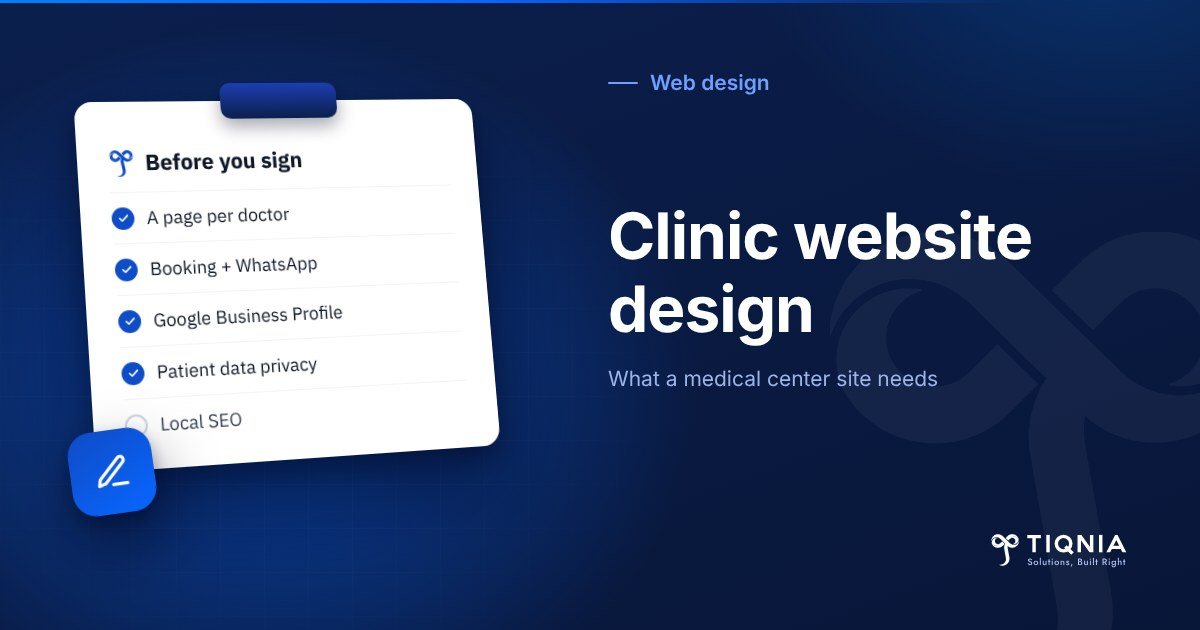
Clinic website design checklist: before you sign
Use this list with any provider, and get the answers in writing in the proposal or contract:
- Domain and hosting registered to the clinic, with login details in your hands.
- A separate page for every doctor, service and branch.
- An agreed booking setup (request form, scheduling system, or both) and who receives it.
- Sticky call and WhatsApp buttons on mobile.
- A Google Business Profile linked to the site with identical details.
- Structured data (schema) for the clinic and its doctors.
- A privacy policy, a consent checkbox on the booking form, and SSL.
- An admin panel your staff can use, plus training.
- Post-launch support for a written period.
To understand what pushes the budget up or down, read our piece on website design cost in Egypt. We put together a proposal once we understand what you need.
The bottom line
A successful clinic website is not the flashiest one. It gets patients to the right doctor and booked within a minute, shows up on Google when someone searches your specialty in your area, and protects patient data. Start with the core pages, your Google profile and a simple booking request, and add more as bookings grow.
When you are ready, see how we build company websites and tell us what you need, or send us a WhatsApp message directly.
FAQs
What is the most important page on a clinic website?
The doctor profile page, because patients choose a doctor, not a building. It should show the precise specialty, qualifications, schedule, branches, a direct booking button and a real photo.
Does a clinic website need online booking?
Not always. Most clinics do well with a simple booking request form and a WhatsApp button, with reception confirming the slot. A full scheduling system pays off once you have several doctors, branches and high volume, and someone keeps it updated daily.
How can my clinic show up on Google Maps?
Create a Google Business Profile under the clinic's real-world name with no added keywords, using the same address, phone and hours as your website. Link it to your site and booking page, and ask patients for reviews after their visit.
Can I post before-and-after photos on my clinic website?
Only with the patient's written consent, and after checking your medical syndicate's advertising rules. Avoid promising guaranteed results anywhere on the site.
What should a clinic booking form ask for?
As little as possible: name, mobile number and the doctor or service. Health data is sensitive data under Egyptian and Saudi law, so keep medical details for the consultation and add a consent checkbox linked to your privacy policy.
Should a clinic website be in Arabic and English?
Yes if you serve expatriates, Gulf patients or medical tourists, and the English version should have its own URLs from day one. If all your patients are local, Arabic is enough to start.
Tell us what you need and the TIQNIA team will come back with a clear plan.